V520 OBD2 Scanner: Live Data + Cloud Print Reports
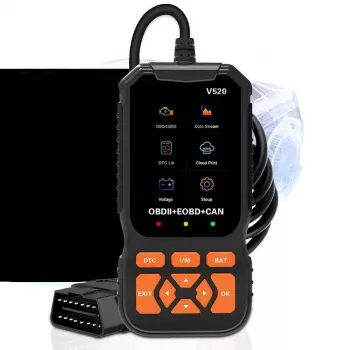
V520 OBD2 Car Diagnostic Scanner with Cloud Printing & Live Data Streaming
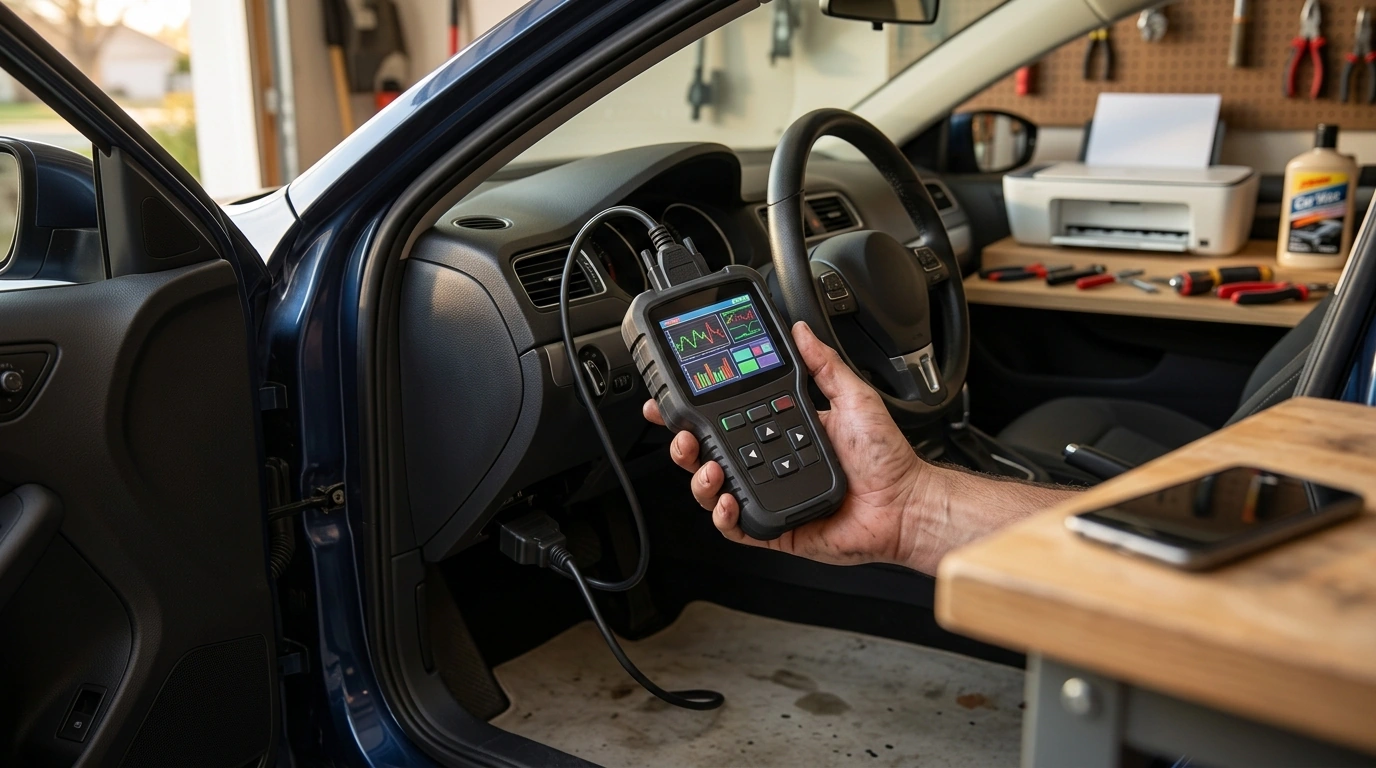
The V520 is a handheld OBD2 diagnostic scanner designed for quick check-engine troubleshooting, real-time sensor monitoring, and sharing results through cloud printing. It’s a practical fit for DIY maintenance, pre-purchase checks, and keeping service records organized without needing a laptop—especially when the goal is to capture what happened, when it happened, and what changed after the fix.
What This Scanner Helps With
When a check-engine light comes on, the fastest path to clarity is pulling the stored information from the vehicle’s computer. The V520 focuses on core OBD2 tasks that help drivers make confident next steps instead of guessing.
- Reads and clears diagnostic trouble codes (DTCs) related to the check-engine light
- Shows live data streams from supported sensors to spot problems as they happen
- Creates shareable reports for record-keeping, warranty conversations, or shop visits
- Supports routine checks like confirming a repair and verifying the light stays off
For background on how OBD systems support emissions-related diagnostics, see the EPA’s overview of On-Board Diagnostics (OBD).
Cloud Printing and Report Sharing
One of the most helpful habits in DIY diagnostics is documentation. Cloud printing turns scan results into a clean report that’s easy to store, forward, or attach to a service folder. It’s especially useful when dealing with intermittent faults, recurring codes, or a vehicle that sees multiple drivers.
- Cloud printing can turn scan results into a clean report that’s easy to store and share
- Useful for documenting fault codes before and after a repair, including timestamps
- Practical for households with multiple vehicles or anyone tracking recurring issues
- Before relying on printed reports, confirm the device’s required app/service setup and network needs (if any)
| Use case | What to capture | Why it helps |
|---|---|---|
| Before a repair | Stored codes + freeze frame | Provides a baseline for diagnosis and parts selection |
| After a repair | Cleared codes + readiness status | Confirms the issue is resolved and monitors for return codes |
| Intermittent problems | Live data snapshots during symptoms | Helps correlate symptoms with sensor behavior |
| Pre-purchase check | Pending codes + readiness monitors | Flags hidden problems and recently cleared codes |
Live Data Streaming: What to Watch
Codes tell you where the vehicle noticed a problem. Live data helps you understand the conditions that created it. By watching sensors in real time, it becomes easier to decide whether the issue looks electrical (a signal that drops out), sensor-related (a reading that’s stuck), or mechanical (values that trend wrong even though sensors respond normally).
- Live data helps pinpoint whether a fault is electrical, sensor-related, or a mechanical condition
- Key readings to review during idle and light throttle: engine RPM, coolant temperature, intake air temperature, O2 sensor activity, fuel trims, and throttle position (varies by vehicle)
- Look for values that are out of range, stuck, slow to respond, or inconsistent with driving conditions
- When possible, compare cold-start behavior versus fully warmed-up readings to detect temperature-related issues
As an example, a coolant temperature that never climbs can support a thermostat hypothesis; fuel trims that drift strongly positive at idle can hint at a vacuum leak; and an O2 sensor that switches unusually slowly may point to a tired sensor or mixture control issue. For more context on OBD test modes and what vehicles can report, the SAE provides an overview of SAE J1979.
Compatibility and Expectations
Most drivers want one clear answer: “Will it work with my car?” In general, OBD2 functions apply to most gasoline vehicles sold in the U.S. from 1996 onward. Many diesel vehicles support OBD2 as well, though coverage can depend on model year and market.
- OBD2 functions generally apply to most gasoline vehicles sold in the U.S. from 1996 onward; many diesel vehicles support OBD2 as well depending on market and model year
- Basic OBD2 covers engine and emissions-related diagnostics; advanced modules (ABS, SRS/airbag, transmission) may require a different tool depending on vehicle support
- Some data points and tests are vehicle-dependent; a scanner can only show what the vehicle’s computer provides
- If a vehicle has multiple communication protocols, the scanner should automatically negotiate the supported one when connected
If you’re trying to understand what a check-engine light indicates and why it may turn on (steady vs. flashing), NHTSA’s guide on what the check engine light means is a helpful reference.
How to Use It for a Quick Diagnosis
A reliable routine keeps the process fast and repeatable—especially when a light comes and goes.
When a Different Tool May Be Better
V520 Snapshot
| Item | Detail |
|---|---|
| Product | V520 OBD2 Car Diagnostic Scanner with Cloud Printing & Live Data Streaming |
| Price | 35.82 USD |
| Availability | In stock |
| Product page | View details |
More In-Stock Picks
- Clarks Men’s Black Leather Slip-On Shoes
- Vans Women’s Black Leather Sneakers
- Diamond Cuban Chain Dog and Cat Collar
FAQ
Will it work with any car?
It works with most 1996+ gasoline vehicles sold in the U.S. that support OBD2, and many diesels as well depending on model year and market. Keep in mind it focuses on engine/emissions diagnostics, not necessarily every module like ABS or airbags.
What is live data streaming used for?
Live data streaming shows real-time sensor readings so you can confirm symptoms, spot values that are stuck or out of range, and validate a repair. Common parameters include fuel trims, O2 sensor activity, coolant temperature, RPM, and throttle position (depending on the vehicle).
Can a scanner fix the problem after clearing a code?
No—clearing codes turns off the light and resets stored information, but it doesn’t repair the underlying fault. The best approach is to diagnose the cause, perform the repair, then re-scan and verify readiness monitors if an inspection is coming up.










Leave a comment