130W Car Charger Guide: Fast USB-C Power on Trips
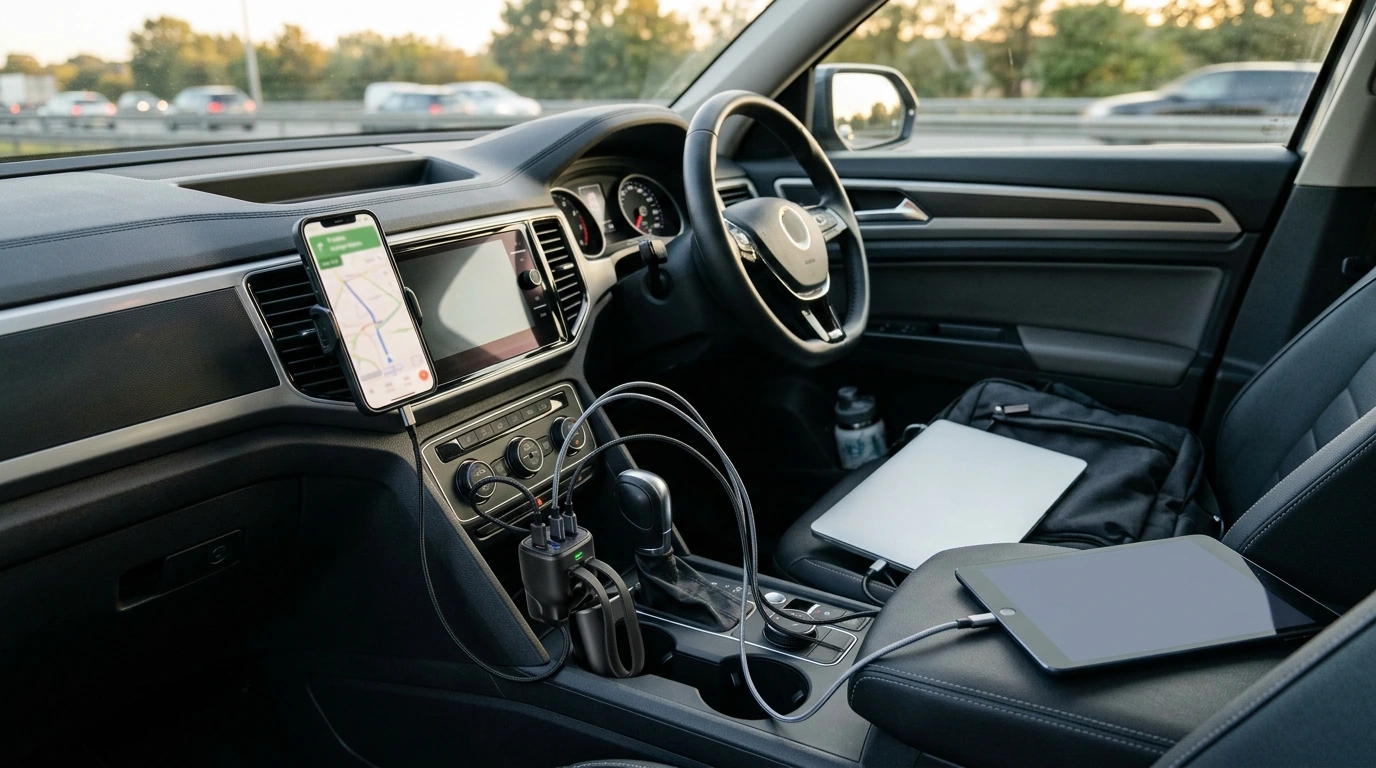
130W Mini Car Charger: Fast Power for Phones, Tablets, and Laptops on the Road
A high-watt mini car charger can turn a single 12V accessory socket into a practical power hub for commuting, road trips, and rideshare shifts. With up to 130W of total output available, you can keep a navigation phone, a passenger’s device, and even a USB-C–chargeable laptop from fighting over power. The key is understanding how wattage is shared, which ports and cables your devices need, and how to keep heat under control inside a vehicle.
What a 130W mini car charger is best for
- Rapid top-ups for power-hungry devices (modern smartphones and tablets) during short drives.
- Charging multiple devices at once (phone + passenger phone + tablet) without crawling charge speeds.
- Supporting higher-power devices when the charger and cable support the right standard (USB-C Power Delivery for many laptops and tablets).
- Keeping navigation, music streaming, dash cams, and work devices running on long trips.
Quick specs snapshot: 130W Mini Car Charger
A “130W” rating is about total available output—how much power the charger can distribute across its ports. Real-world results depend on the port’s maximum output and whether your device successfully negotiates a fast-charging mode (often USB-C PD).
At-a-glance checklist
| Item to confirm | Why it matters | What to look for |
|---|---|---|
| Total output | Determines how much power can be shared across devices | Up to 130W total; verify how power is split across ports |
| Port types | Controls which devices can fast-charge | At least one USB-C for modern fast charging; USB-A for legacy cables |
| Fast-charge support | Enables quicker charging safely | USB-C PD for many phones/tablets/laptops; USB-A fast-charge protocols where supported |
| Cable rating | Prevents slow charging and heat from undersized cables | USB-C cable rated for high wattage (e.g., 60W/100W) for laptops |
| Vehicle socket limits | Avoids blown fuses and unstable charging | Check vehicle manual for accessory socket amperage and maximum load |
| Heat management | Sustained fast charging generates heat | Good ventilation; avoid covering the charger; unplug when parked in hot sun |
Understanding wattage in the car: what 130W can (and can’t) do
Think of wattage as a budget. Your charger can offer up to its rated total, but each device only draws what it negotiates and needs. A higher total rating helps most when you’re charging two or more devices at once, because one device is less likely to get “starved” and drop into slow charging.
- Wattage is the budget the charger can distribute; actual draw depends on device negotiation.
- A high total rating helps multi-device setups stay fast rather than forcing everything into a trickle.
- Some laptops require specific USB-C Power Delivery profiles; if the port can’t meet the request, the laptop may charge slowly or hold steady.
- Vehicle sockets have limits (often tied to a fuse). Avoid stacking other high-draw accessories on the same circuit while fast charging multiple devices.
For more detail on how devices negotiate USB-C charging levels, see the official USB-IF resources on USB Power Delivery (USB PD).
Compatibility: phones, tablets, laptops, and accessories
- Phones: Most modern phones fast-charge best via USB-C. Some older models rely on USB-A fast-charge standards, so having both port types can be helpful.
- Tablets: iPad and many Android tablets benefit from higher USB-C PD wattage, especially during navigation, hotspot use, and streaming.
- Laptops: USB-C–chargeable laptops typically need USB-C PD. Match the charger’s capability and the cable’s wattage rating to the laptop’s needs.
- Accessories: Earbuds, smartwatches, Bluetooth receivers, and handheld consoles draw less power and can share remaining output without disrupting a primary device too much.
Safety and reliability on the road
Fast charging is normal—and generally safe—when the charger includes proper protections and you avoid the common trouble spots: heat, poor cables, and loose sockets.
Also keep charging and cable handling from becoming a distraction. For guidance on staying focused behind the wheel, review the NHTSA’s overview of driver distraction.
Getting faster charging in real life (without guesswork)
When a mini car charger is the right choice vs. other options
Product spotlight: 130W Mini Car Charger
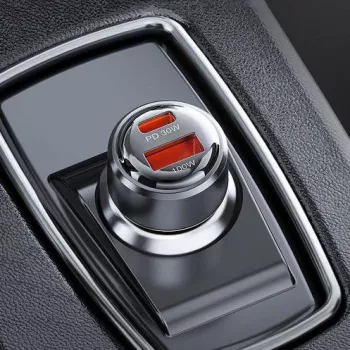
If you want big charging headroom in a glove-box-friendly size, the 130W Mini Car Charger is a compact, high-output option that can handle a mixed set of devices—phones, tablets, and other USB-powered gear—especially when paired with quality fast-charge cables. For laptops and larger tablets, best results come from a USB-C Power Delivery setup and a higher-wattage rated USB-C cable.
Road-ready add-ons (in stock)
- Clarks Men’s Black Leather Slip-On Shoes for easy on/off comfort at rest stops.
- Vans Women’s Black Leather Sneakers for everyday travel wear that packs well.
FAQ
Will a 130W car charger charge a laptop?
Often yes, as long as the laptop supports USB-C Power Delivery and the charger has a USB-C PD output. Use a high-watt USB-C cable, and expect speed to depend on the laptop’s power requirement and how the charger allocates power across ports.
Why is my phone not fast charging in the car even with a high-watt charger?
Common causes include using a port that doesn’t support your phone’s fast-charge mode, a cable that isn’t rated for fast charging, or the phone getting hot and throttling. If multiple devices are connected, the charger may also redistribute power and reduce the phone’s charging rate.
Is it safe to leave a car charger plugged in all the time?
It depends on the vehicle: some accessory sockets shut off with the ignition, while others stay live and can slowly drain the battery. Unplugging during long parking periods also reduces heat exposure when the cabin is hot.









Leave a comment