Universal Vent Clip Phone Mount: iPhone & Samsung Fit
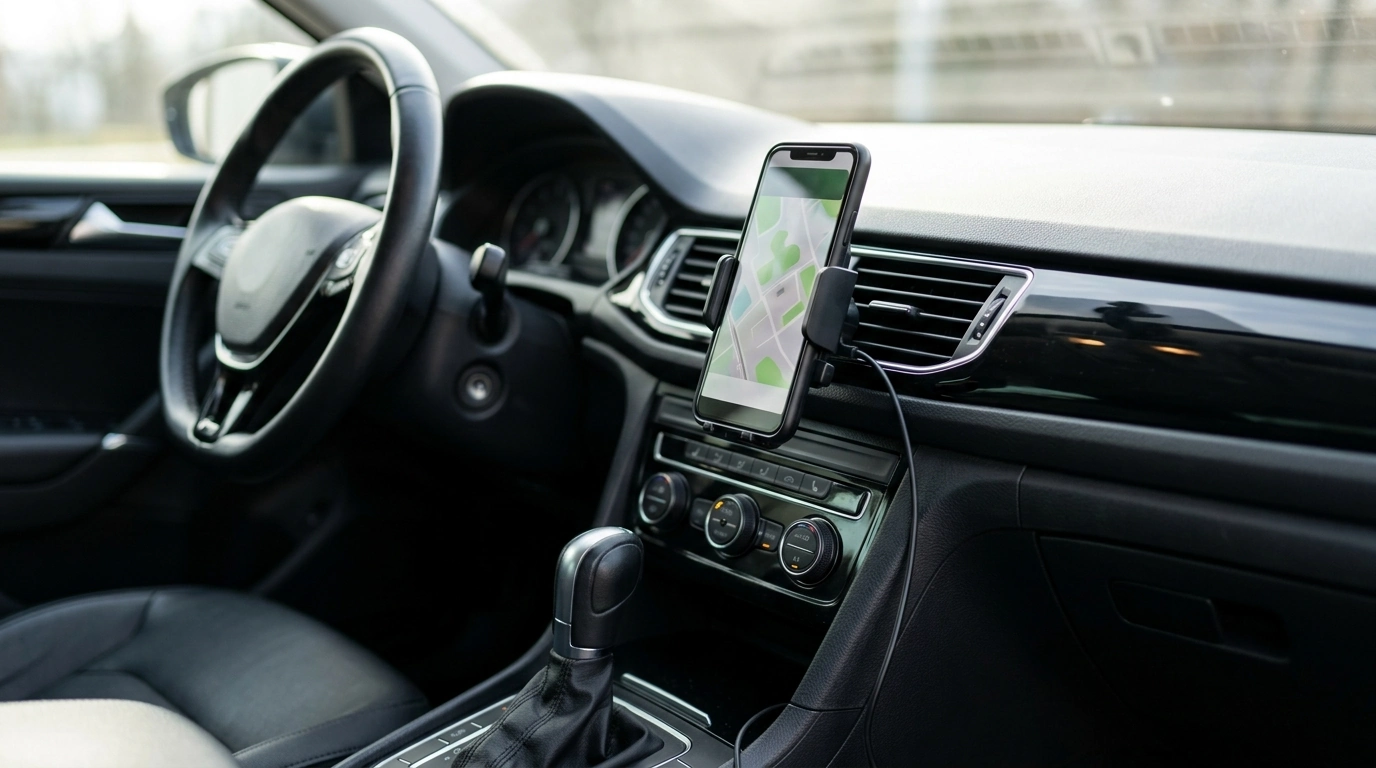
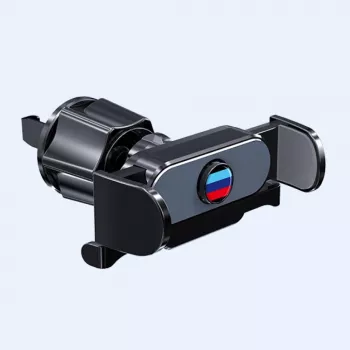
Universal Air Vent Phone Holder Clip Mount for iPhone and Samsung
A secure phone mount helps keep navigation, calls, and music controls easy to view without handling the device while driving. A universal air vent clip mount is a simple way to keep your phone at eye level and within reach while minimizing dashboard clutter—especially if you prefer not to use adhesives or windshield suction cups. For drivers who regularly switch between cars (or rentals), a compact vent-mounted holder can also be one of the quickest setups to install and remove.
What This Air Vent Clip Mount Does Well
A vent clip mount focuses on convenience: it places the screen where you can glance at it, and it keeps your windshield and dash clean. This style is especially useful for everyday commutes, rideshare driving, and road trips where navigation cues need to be visible without constant readjustment.
- Positions the phone close to the driver’s line of sight for maps and alerts
- Vent-mounted design avoids adhesives and suction cups on the windshield or dash
- Universal fit approach intended to work across many iPhone and Samsung models
- Compact footprint that can be moved between vehicles quickly
Compatibility and Fit Checklist
“Universal” mounts still depend on two things: your phone’s size (including the case) and your vehicle’s vent design. A few quick checks before buying or installing can help you avoid wobble, accidental button presses, or a mount that doesn’t seat firmly.
- Confirm the phone’s width (with case on) matches the holder’s gripping range
- Check vent type: horizontal slats typically work best; very thick or round vents may be less stable
- If using a bulky case or wallet case, expect a tighter fit or remove the case for best grip
- Verify clearance: phone should not press against vent controls, hazard button, or steering wheel
- For very heavy phones, choose a vent position with minimal vibration and strong slats
Quick Compatibility Checks Before Buying
| Check | What to look for | Why it matters |
|---|---|---|
| Vent slats | Firm, evenly spaced slats | Improves clip stability over bumps |
| Phone + case width | Measure widest point | Ensures the arms can fully close |
| Cable access | Room for charging plug | Prevents cable strain and accidental unplugging |
| Heat/AC airflow | Direct airflow to the phone | Can affect phone temperature and battery |
| Screen visibility | No glare; clear view | Reduces the urge to adjust while driving |
How to Install for a Stable Hold
Vent mounts feel “set and forget” when they’re placed on a sturdy slat and the phone is seated evenly. A minute of careful setup can prevent most slipping and vibration issues.
- Choose a vent near the center stack for easier viewing without blocking the road.
- Attach the clip firmly to a slat; avoid loose or damaged slats that flex excessively.
- Insert the phone and confirm the arms fully grip without pressing side buttons.
- Gently tug the mount to ensure it is seated before driving.
- Re-check the mount after the first few miles, especially on rough roads.
Best Placement and Everyday Use
A good vent position makes the phone easy to glance at while keeping your hands on the wheel. Aim for a spot that doesn’t interfere with shifting, climate controls, or the steering wheel—then set your angle once and resist the temptation to “micro-adjust” while moving.
- Set the angle before moving: align the screen so maps are readable at a glance
- Keep the phone’s microphone and speaker unobstructed if using speakerphone
- Route charging cables so they do not interfere with steering, shifter, or climate knobs
- Avoid aiming hot air directly onto the phone for long periods; excessive heat can throttle performance
- Use larger map text and voice guidance to reduce the need to look at the screen
For safety, set your route, playlist, or call settings before you pull away. Guidance from organizations like NHTSA and the AAA Foundation/AAA Exchange emphasizes minimizing interaction with devices while driving.
Vent Mount vs Other Mount Types
Mount Type Comparison
| Mount type | Pros | Trade-offs |
|---|---|---|
| Air vent clip | No adhesive; easy transfer between vehicles; keeps windshield clear | Depends on vent strength; airflow can heat/cool the phone |
| Windshield suction | Flexible placement; often very stable when clean | Can obstruct view; may loosen with temperature swings |
| Dashboard adhesive | Low vibration when installed well; can be very secure | Residue risk; harder to reposition; needs clean surface |
| CD-slot mount | Often stable; centered viewing position | Not compatible with many modern cars; can block infotainment access |
Care, Troubleshooting, and Longevity Tips
Product Details and Where to Get It
- Universal Car Phone Holder Air Vent Clip Mount for iPhone and Samsung
- Price: $5.51 (USD)
- Availability: In stock
At-a-Glance
| Item | Details |
|---|---|
| Product | Universal Car Phone Holder Air Vent Clip Mount for iPhone and Samsung |
| Price | $5.51 USD |
| Stock status | In stock |
| Product page | View product |
More In-Stock Picks You May Like
FAQ
Will a vent clip mount fit all car vents?
Most vent clip mounts work best with firm, horizontal slats that don’t flex much. Round/turbine-style vents or very thick slats can be harder to grip securely, so a snug clip fit and a sturdy vent position matter.
Can a phone stay in the holder with a case on?
Many standard cases fit fine, but bulky or wallet-style cases can reduce how well the arms close and may cause wobble. Measure your phone’s width with the case on and make sure the arms don’t press the side buttons.
Is it safe to use a phone mount while driving?
A mount can support hands-free use by keeping the screen visible and reducing the need to hold the phone. Set navigation and audio before moving, rely on voice guidance when possible, and follow local distracted-driving laws.










Leave a comment